Poked around the interwebs a while and noticed a lot of scripts had references to 2007 commands that hadn't been updated to 2012. Here's the basic steps taken to get my group of SQL servers. You could perform the same task on pretty much any group in the same manner.
- Open the Operations Manager Shell powershell console

- Type in : Get-SCOMGroup
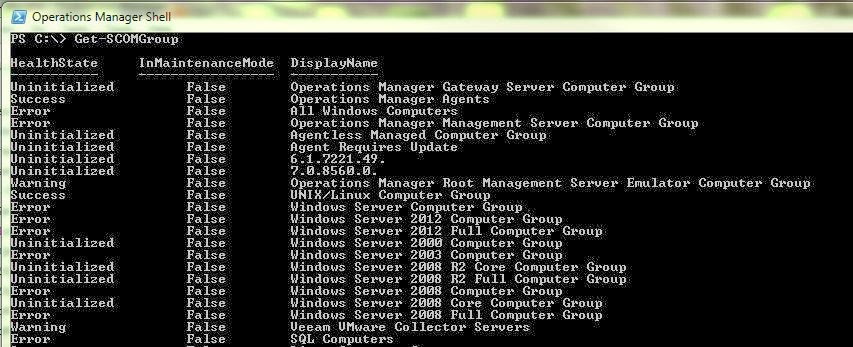
- Search for the group you want to retrieve members from
- Now type in: $Group = Get-SCOMGroup | where {$_.DisplayName -eq "SQL Computers"} (or insert the group your looking for instead of SQL Computers")

- Next, type in: $Members = $Group.GetRelatedMonitoringObjects()

- Now, you can simply type: $Members

- Or, pipe the command out to a file: $Members | Sort DisplayName | FT DisplayName | out-file C:\Scripts\Servers.txt


